Development 29.10.2026
29.10.2026 SpeedyGo: One plugin to make your WordPress website faster
 Corvexa: AI that turn more website visitors into qualified leads.

 Energy
 Oil and gas
 Transportation
 E-commerce
 Healthcare
 Real Estate
 Fintech
 Manufacturing
 Education
 Agriculture
 Travel
 Cyber Security
 Crypto
 Law and Order
 Entertainment
 Hospitality
 Logistics
 Non-profit
 Digital Industry
 Venture Capital
A Quick Guide on the Right Software Development Approach for Enterprises in 2023


 29/10/2026


| Quick summary This guide explains cloud application development in plain English. You will learn what cloud-based applications are, how SaaS, PaaS, and IaaS differ, which architecture to choose, what the real benefits and costs are, how to keep them secure, and where businesses use them. It ends with a checklist for choosing a cloud application development company.
|
Imagine your app works perfectly for 200 users. Then a big customer shares it, and 20,000 people show up in one afternoon. If the app runs on a single server, it crashes. If it is built for the cloud, it quietly adds capacity and keeps going.
That difference is the whole reason cloud applications exist. They are built to grow when you need them to, shrink when you do not, and stay online while they do it.
But “move to the cloud” is also one of the most misunderstood pieces of advice in tech. Done badly, it costs more and breaks more. Done well, it gives you speed, resilience and room to grow. Let’s walk through how to do it well.
A cloud application is software that runs on remote servers, called “the cloud”, instead of on a single computer in your office. People use it through a web browser or a mobile app. You are probably using cloud-based applications right now: online banking, streaming, email, and project tools all work this way.
Cloud application development is the work of designing, building, testing, and running that kind of software so it can scale on demand, update without downtime, and be reached from anywhere.
The cloud itself is just rented computing: servers, storage, databases, and networks, delivered over the internet by providers like AWS, Microsoft Azure, and Google Cloud. You pay for what you use instead of buying hardware up front.
These three terms confuse a lot of people. The easiest way to understand them is to ask: which layers do I look after, and which does the provider handle?

Who manages what. The further right you go, the more the provider handles. Based on the cloud shared-responsibility idea described by AWS
| Note
Even when the provider manages the lower layers, security is still shared. You remain responsible for your data, your settings and who can access them. |

A few ideas make the difference:
One of the first design choices is how to split the application. Each style has strengths and trade-offs.
| Approach | Best for | Cost to start | Complexity | Watch out for |
| Monolith | MVPs, small teams, simple products | Low | Low | Harder to scale parts separately later |
| Microservices | Large products, many teams | Higher | High | Needs strong DevOps skills |
| Serverless | Spiky traffic, event-driven tasks | Low to medium | Medium | Provider lock-in, bills that grow with usage |
A sensible default for most new products is a well-organised single application that can be split later. Jumping straight to dozens of microservices adds cost and complexity before you need it. Our guide on rapid app prototyping shows why starting simple saves money.
Businesses are moving this way for good reasons. Gartner’s forecast shows public cloud services growing 21.3% in 2026, with the market reaching $1.48 trillion by 2029. That kind of growth reflects real benefits.

The cloud is not automatically cheaper. It is flexible, and flexibility needs discipline. The Flexera 2026 State of the Cloud Report, based on 753 cloud decision-makers, found that estimated wasted cloud spend rose to 29%, the first increase in five years.

The same report shows how widespread the worry is.

Waste usually comes from simple things: servers left running that nobody uses, machines far larger than needed, forgotten test environments, and storage that keeps growing. A growing practice called FinOps brings engineers and finance together to manage this, and Flexera reports that 63% of organizations now have a FinOps team.
| Tip
Set a budget and an alert on day one. Tag every resource with the project it belongs to, and review the bill monthly. Small habits like these catch most waste early. |
It can be very secure, but not automatically. Providers protect the physical data centers and the base platform. You protect your application, your data and your access settings. This split is called the shared responsibility model.
The stakes are real. IBM’s 2025 report found that the global average cost of a data breach was $4.44 million, as covered by CyberScoop. Most cloud problems come from settings and access mistakes, not from the cloud itself.
Flexera also found that 53% of cloud leaders name security and compliance as their top challenge for AI work in the cloud, so plan for it early rather than late.
Cloud applications fit almost every industry. Here are six common ones.

Business use cases for cloud applications
Healthcare: Telehealth, appointment booking and patient portals all need to be available around the clock and protect private data. The cloud makes it easier to scale video visits and meet compliance rules with the right setup.
Fintech: Payments and fraud detection need speed, uptime and strong security. Cloud tools handle sudden spikes, such as payday or sales events, without slowing down.
E-commerce: Stores face huge traffic swings. Cloud applications add capacity for a sale and release it afterward, so you only pay for peaks when they happen.
Logistics: Live tracking, route planning and customer alerts rely on real-time data from many sources. The cloud brings it all into one place that drivers, dispatchers and customers can reach.
Education; Online classes, tests and progress dashboards must handle thousands of students at once, often at the same hour. Elastic cloud capacity suits this pattern well.
SaaS products: If you sell software by subscription, the cloud is the natural home. One platform serves many customers, and you can ship improvements to all of them at once. See our guide on choosing a mobile development company if your product also needs an app.

If you already have software, you have four main options.
Rehost: move the app to the cloud as it is. Fast, but you gain little.
Replatform: make small changes to use managed services such as a cloud database.
Refactor: redesign parts of the app to use cloud strengths.
Rebuild: create a new cloud-native app. Most work, most long-term benefit.

Notice the last step. Cost optimization is not a one-time task. It continues after launch, just like maintenance. Our guide on long-term maintenance explains why ongoing care protects your investment, and regular QA audits help keep the system reliable.
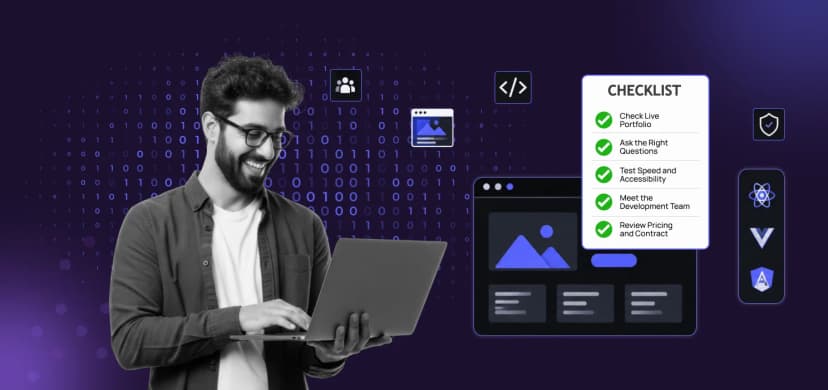
The right cloud application development company should understand your business, not just cloud tools. Use this checklist.
Code and Core is an ISO 9001 certified studio with 30+ dedicated developers and clients in 25+ countries. Our AWS and cloud services, custom software development, and MVP development help you design, build, and run cloud-based applications, and you can add a dedicated team when you need ongoing capacity. Every project can start under an NDA, and we work in five phases: discovery, design, development, deployment, and delivery. See more in our portfolio.
If you already have an application and are not sure whether to move it, we are happy to review it with you.
Cloud applications give businesses the power to grow quickly, stay online and use modern tools without owning hardware. But the benefits come from good design, careful security and steady cost control, not from the cloud label alone.
Start with a clear goal, choose the simplest architecture that fits, secure it from day one, and keep an eye on the bill. Do that, and your cloud-based applications will be ready for the day 20,000 people show up.

Cloud-based applications are programs that run on remote cloud servers instead of a single local machine. Users reach them through a browser or an app. Examples include online banking, streaming services and project management tools.
With IaaS you rent servers and manage almost everything above them. With PaaS the provider also manages the runtime, and you manage your app and data. With SaaS you simply use a finished application.
It plans the architecture, builds the application, sets up automated releases and monitoring, secures it, and helps you control cloud costs after launch.
Right-size resources, turn off unused ones, set budgets and alerts, and review spending monthly. Flexera’s 2026 report estimates 29% of cloud spend is wasted, so regular reviews pay off.
Catch wind of the latest technologies, strategies, and information that are set to boost your business operation. We update frequently!