Technologies 30.10.2026
30.10.2026 SpeedyGo: One plugin to make your WordPress website faster
 Corvexa: AI that turn more website visitors into qualified leads.

 Energy
 Oil and gas
 Transportation
 E-commerce
 Healthcare
 Real Estate
 Fintech
 Manufacturing
 Education
 Agriculture
 Travel
 Cyber Security
 Crypto
 Law and Order
 Entertainment
 Hospitality
 Logistics
 Non-profit
 Digital Industry
 Venture Capital
A Quick Guide on the Right Software Development Approach for Enterprises in 2023


 16/09/2026


A web application may start small, but successful products rarely stay that way.
As users increase, data grows, and businesses add new features, the infrastructure supporting the application needs to scale too. A system that works well for a few hundred users may struggle when traffic suddenly increases.
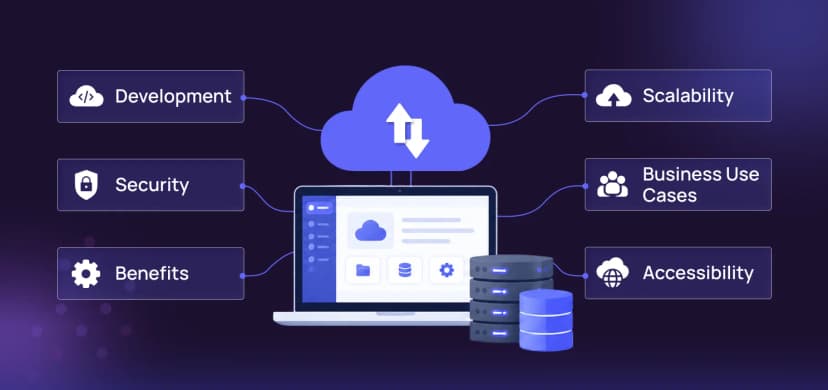
This is where cloud infrastructure becomes important.
Cloud platforms such as Amazon Web Services (AWS) provide businesses with flexible computing, storage, databases, networking, security, and monitoring services. With the right architecture, businesses can scale their web applications without constantly rebuilding their infrastructure.
For companies investing in custom web programming services, understanding how cloud infrastructure supports scalability can help create applications that are prepared for long-term growth.

What Is cloud infrastructure_
Cloud infrastructure refers to the collection of computing resources and services used to run applications over the internet.
Instead of purchasing and maintaining physical servers, businesses can use cloud services and scale resources based on their requirements.
Cloud infrastructure can include:
AWS is one of the most widely used cloud platforms and provides services for each of these areas.

Why AWS is useful for web applications
AWS provides businesses with access to a broad range of cloud services.
For web applications, developers can use AWS to manage:
Instead of building every infrastructure component from scratch, development teams can use managed cloud services and focus more of their time on the application itself.
However, using AWS doesn’t automatically make an application scalable. The architecture still needs to be designed properly.

How AWS helps scale a web application
Applications need computing resources to process requests.
AWS provides services such as Amazon EC2 that allow businesses to run virtual servers in the cloud.
As application requirements change, businesses can increase or decrease computing resources.
For example, an application experiencing increased traffic may require additional server capacity.
This flexibility can be useful for businesses with:
Traffic doesn’t always remain consistent.
An e-commerce website may experience significantly higher traffic during a sale. A content platform may see a sudden increase in visitors after a story goes viral.
Auto scaling allows infrastructure to adjust resources according to predefined conditions.
Instead of running a large number of servers all the time, businesses can scale resources when demand increases and reduce them when demand falls.
This can improve resource utilization while helping applications handle traffic spikes.
When an application runs on multiple servers, incoming traffic needs to be distributed efficiently.
A load balancer can distribute requests across available application servers.
This can help:
Load balancing becomes particularly important as applications move from a single-server setup to a larger infrastructure.
Databases are critical to most web applications.
AWS provides database services such as Amazon RDS and DynamoDB that can support different application requirements.
For relational applications, managed database services can simplify tasks such as:
The right database depends on the application’s data structure, workload, performance requirements, and development architecture.
Web applications often need to store:
Amazon S3 provides object storage that can handle large amounts of data.
Instead of storing everything directly on application servers, businesses can use cloud storage for files and static assets.
This can make it easier to scale application infrastructure independently from stored data.
Users accessing an application from different geographic locations may experience different loading speeds.
A CDN can store and deliver static content from locations closer to users.
AWS CloudFront can be used to distribute assets such as:
Reducing the physical distance between users and frequently accessed content can help improve loading performance.
Cloud infrastructure can be designed to reduce the impact of individual infrastructure failures.
For example, applications can be distributed across multiple availability zones so that the failure of one infrastructure location doesn’t necessarily bring down the entire application.
High availability is particularly important for applications that need to remain accessible around the clock.
Scaling an application requires visibility into how the system is performing.
AWS provides monitoring and logging services that can help development and DevOps teams track:
Monitoring allows teams to identify bottlenecks and respond to problems before they become major issues.
Scalability should never come at the expense of security.
Cloud infrastructure needs appropriate security controls at every level.
Important areas include:
AWS Identity and Access Management (IAM) allows organizations to control who can access specific resources.
Access should follow the principle of least privilege, meaning users and services should receive only the permissions they actually need.
Security groups, private networks, firewalls, and controlled access can help protect application infrastructure.
Sensitive data should be encrypted appropriately both during transmission and, where required, while stored.
Regular backups and a tested recovery strategy can help businesses recover from accidental deletion, infrastructure failures, or security incidents.
Logs and monitoring systems can help identify unusual activity and potential security problems.
A basic scalable architecture might look like this:
User → CDN → Load Balancer → Application Servers → Database
Additional services can be added depending on the application’s requirements.
For example:
The goal isn’t to use every AWS service available.
The goal is to select the services that solve actual application requirements.
Caching can reduce the amount of work your application needs to perform.
Instead of requesting the same information from the database every time, frequently accessed information can be stored temporarily in a cache.
Caching can be implemented at several levels:
For example, product information that changes infrequently could potentially be cached to reduce repeated database requests.
Effective caching can improve response times while reducing infrastructure workload.
One of the biggest advantages of cloud infrastructure is the ability to prepare for unpredictable traffic.
Imagine a business launching a new product and suddenly receiving ten times its normal traffic.
A fixed server environment may struggle to handle that increase.
A properly designed cloud architecture can use:
Together, these components can help absorb traffic increases more effectively.
Cloud infrastructure can provide powerful tools, but infrastructure alone cannot fix poorly developed applications.
A slow database query will remain slow even if the application runs on AWS.
Similarly, inefficient code, excessive API requests, or poorly designed architecture can continue to create performance problems.
This is why application development and cloud architecture should be planned together.
AWS offers hundreds of services, but more services don’t automatically mean a better architecture.
Complexity can increase maintenance costs and make systems harder to manage.
Cloud resources can generate unexpected costs if they aren’t monitored properly.
Businesses should track resource usage and establish appropriate budgets and alerts.
A single-server architecture can create a major point of failure and limit scalability.
Incorrect permissions, exposed resources, and weak access controls can create serious security risks.
Backups are important, but businesses should also know how they will restore their systems if something goes wrong.
Cloud infrastructure can be useful from the beginning of a project, but it becomes especially valuable when:
Not every small website requires a complex cloud architecture. The infrastructure should match the actual needs of the application.
Code and Core
At Code and Core, we understand that a scalable web application needs both strong development and reliable infrastructure.
Our team works with AWS, PHP, Laravel, Node.js, React, Next.js, MySQL, MongoDB, APIs, and modern cloud technologies to create web applications designed for performance and growth.
Our custom web programming services can include:
- Custom web application development
- AWS cloud integration
- Backend development
- API development
- Database development
- Cloud migration
- Performance optimization
- Scalable application architecture
- SaaS development
- Ongoing maintenance and support
We start by understanding your application’s requirements, traffic patterns, business goals, and future roadmap. From there, we can help create an infrastructure strategy that provides the right balance of performance, scalability, security, and cost efficiency.
Whether you’re launching a new web application or improving an existing system, Code and Core can help build the technical foundation needed for long-term growth.
Scaling a web application isn’t simply about adding more servers.
It requires a combination of application architecture, cloud infrastructure, database optimization, caching, security, monitoring, and ongoing development.
AWS provides a flexible platform that can help businesses adapt infrastructure to changing requirements. But the real value comes from using those services strategically.
For businesses investing in custom web programming services, planning cloud infrastructure early can help create applications that are better prepared for traffic growth, new features, and changing business requirements.
The goal isn’t to build the biggest infrastructure possible.
It’s to build the right infrastructure for your application today—and create a foundation that can scale with you tomorrow.
Catch wind of the latest technologies, strategies, and information that are set to boost your business operation. We update frequently!