








What Is Soft Redesign & Soft Rebranding? (And Why It Matters for Your Business)
 28/10/2025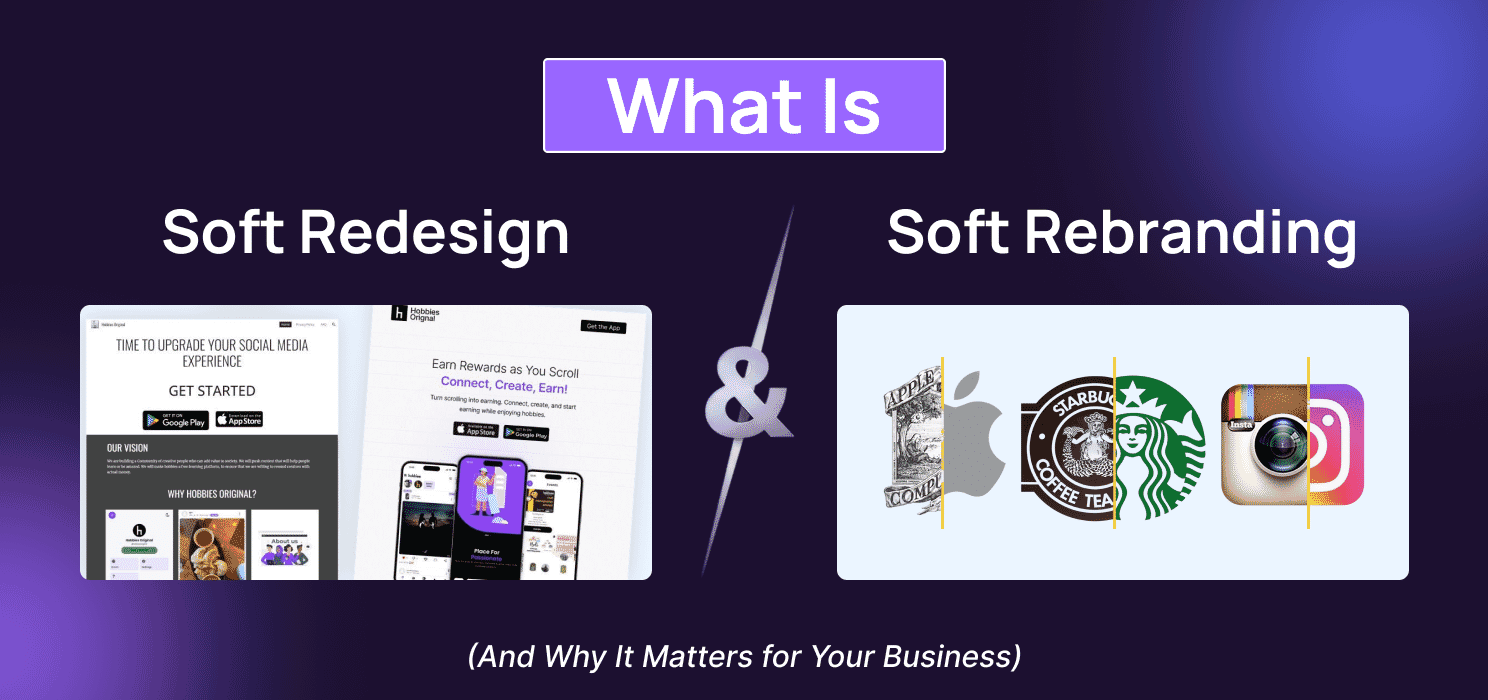


Let’s say you run a business. You’ve got a website, maybe a logo, some colors, a few pages, and it all works fine. But something feels… off. Maybe people aren’t staying long on your site. Maybe your brand looks outdated. Or maybe your message doesn’t hit the way it used to. Now here’s the thing: You don’t always need to tear everything down and start from scratch. Sometimes, small changes, tiny tweaks in design, layout, or tone, can make a big difference. That’s where soft redesign and soft rebranding come in.
These are quite upgrades. Not loud, flashy overhauls. Just smart, subtle moves that help your brand feel fresh, clear, and more connected to your audience.
And guess what? Most people don’t even know these terms exist. But once you understand them, you’ll start seeing them everywhere, from websites built on WordPress to the apps you use daily.
In This Blog, You’ll Learn:
- What soft redesign and soft rebranding really mean
- How they work in real life (with examples)
- What kind of impact can they have on your business
- Tips to do it right
- Mistakes to avoid
- How code and core can help you
- And a few fun facts along the way
What Is Soft Redesign?

A soft redesign means making small changes to how your website or app looks and feels without rebuilding the whole thing. It’s like giving your space a fresh coat of paint, moving the furniture around, and changing the lighting… but not tearing down the walls.
You’re not starting over. You’re just improving what’s already there.
What Does It Usually Include?
Here are some common things people change during a soft redesign:
| Element Changed | What It Means in Simple Terms |
| Fonts | Making the text easier to read or more stylish |
| Colors | Updating the color palette to feel more modern |
| Layout | Moving sections around for better flow |
| Buttons | Making them clearer, bigger, or easier to click |
| Images & Icons | Swapping old visuals for fresh, high-quality ones |
| Spacing & Padding | Giving things room to breathe so they feel less crowded |
| Mobile Responsiveness | Making sure it looks good on phones and tablets |
Example You Can Picture
Let’s say you have a WordPress site. You don’t change the theme or rebuild the pages. You just:
- Update the fonts to something cleaner
- Change the button color from dull gray to bold blue
- Add more space between sections
- Replace blurry images with crisp ones
That’s a soft redesign.

(Source)
What Is Soft Rebranding?

Let’s say your brand has been around for a while. Your logo’s familiar. Your colors are known. Your tone of voice is set. But something’s changed your audience, your goals, your vibe. You don’t want to throw everything away. You just want to freshen things up.
That’s where soft rebranding comes in.
It’s like giving your brand a haircut, not plastic surgery. You keep the core. You just clean it up, sharpen it, and make it feel more “you” again.
What Does Soft Rebranding Usually Include?
| Element Updated | What It Means in Simple Terms |
| Colors | Slight tweaks to shades or tones to feel more modern |
| Logo | Small adjustments like spacing, font, or icon style |
| Tagline | Updating the message to match your current voice |
| Tone of Voice | Making your writing sound more casual, bold, or clear |
| Messaging | Rewriting key lines to better connect with your audience |
| Imagery Style | Choosing visuals that feel more aligned with your vibe |
Example: Imagine your brand used to sound formal and corporate. Now you want to sound more friendly and real. So you:
- Change your tagline from “Innovating Solutions” to “We build stuff that works.”
- Swap stiff stock photos for real team shots
- Tweak your logo spacing so it feels less cramped
- Update your About page to sound like a human wrote it

(Source)

Why Businesses Do It
Let’s be real. No business wants to look old, feel slow, or sound out of touch. But not every business has the time, money, or reason to start from zero.
That’s why smart brands go for soft redesign or soft rebranding. It’s like tuning up your car instead of buying a new one. You keep what works. You fix what doesn’t. You move faster.
Here’s Why Businesses Choose Soft Changes:
- To Stay Fresh Without Losing Identity
- You want to look modern, but still be recognizable.
- A small font change or color tweak can make your brand feel new again.
- To Improve User Experience
- Maybe your site is hard to read on mobile.
- Maybe buttons are too small or pages load slowly.
- A soft redesign can fix that fast.
- To Match a New Audience
- Your customers have changed. Maybe they’re younger, more global, or more tech-savvy.
- Your brand needs to speak their language.
- To Fix What’s Not Working
- Low clicks? High bounce rate? Sometimes it’s not your product, it’s your layout, your tone, your visuals.
- A soft rebrand can help people “get” you faster.
- To Save Time and Money
- Full redesigns take months. Soft changes can be done in days or weeks.
- You get results without the drama.
Quick Comparison Table: Soft Redesign and Soft Rebranding
| Reason for Change | Soft Redesign Example | Soft Rebranding Example |
| Site feels outdated | Update layout and colors | Refresh tone and tagline |
| Mobile users struggle | Improve responsiveness | Adjust messaging for mobile |
| New audience | Add new sections or features | Change voice to match the audience |
| Low engagement | Redesign buttons and flow | Rework brand story |
| Budget is tight | Tweak visuals and layout | Keep logo, update vibe |

(Source)
Business Impact: What Changes, What Improves
Let’s be honest. Most people don’t notice tiny design changes. But their brains do. And that’s what makes soft redesign and soft rebranding powerful.
These small updates can quietly fix problems, build trust, and help your business grow without shouting or spending big.
Here’s What Can Change (And Improve):
- Better First Impressions
- Clean layout, fresh colors, and clear messaging make people stay longer.
- Your brand feels alive, not stuck in the past.
- More Trust
- When your site looks modern and works smoothly, people trust you more.
- Trust leads to clicks, sign-ups, and sales.
- Higher Engagement
- Better buttons, clearer flow, and updated visuals = more action.
- People scroll more, click more, and interact more.
- Faster Website Performance
- Small design tweaks can speed up your site.
- Faster sites rank better on Google and feel better to use.
- Stronger Brand Connection
- Updated tone and visuals help people “get” your brand faster.
- You sound more like a real person, not a robot.
Quick Table: Before vs. After Soft Changes
| Area | Before Soft Change | After Soft Change |
| Website Look | Outdated, cluttered | Clean, modern, easy to scan |
| User Experience | Confusing, slow | Smooth, fast, mobile-friendly |
| Brand Voice | Generic, stiff | Clear, bold, human |
| Engagement | Low clicks, high bounce | More clicks, longer visits |
| Trust Level | Feels sketchy or old | Feels reliable and professional |
| SEO & Performance | Poor loading, low ranking | Faster site, better Google visibility |

You don’t need a full makeover to grow. You just need to fix what’s slowing you down. Soft redesign and rebranding help you do that quietly, quickly, and smartly
Sometimes, all it takes is a small shift to change everything. A new word. A cleaner layout. A better tone. Soft redesign and soft rebranding are proof that quiet moves can lead to loud results.
Here’s a quote that nails it:

This hits home because soft changes aren’t just about looking better. They’re about working better. They help your brand feel smoother, faster, and more real without losing its soul.
Tips for Doing It Right
Soft redesign and soft rebranding sound easy. But if you rush it or guess your way through, you can mess things up. Here’s how to do it the smart way, step by step, no jargon, no fluff.
- Start Small, Not Scattered
Don’t change everything at once. Pick one thing, like your homepage layout or your brand tone, and test it. See how people react. Then move to the next.
- Use Real Feedback
Ask your actual users what confuses them. What feels old? What’s hard to click? Their answers are gold. Don’t guess, ask.
- Keep It Consistent
If you change your button style, change it everywhere. If you update your tone, make sure your About page, emails, and social posts match. Consistency builds trust.
- Test Before You Launch
Use tools like:
- WordPress preview mode
- Elementor’s responsive view
- Browser testing tools
- Don’t Forget Mobile
Most people visit your site on their phone. If your redesign looks great on desktop but breaks on mobile, you lose leads fast.
- Keep Your Core
Soft changes should improve, not confuse. Don’t change your logo, name, or core message unless you really need to. People should still recognize you.
- Use Tools That Make It Easy
Here are some beginner-friendly tools:

- WordPress: For website layout and content
- Elementor: Drag-and-drop design changes
- Figma: Design mockups and feedback
- Canva: Quick visual updates
- Google Fonts: Clean, modern typography
Common Mistakes to Avoid in Soft Redesign and Soft Rebranding
Soft redesign and soft rebranding sound simple. But if you’re not careful, you can end up confusing your audience, wasting time, or even hurting your brand.
Here’s a list of common mistakes people make and how to avoid them.
- Changing Too Much at Once
- You tweak your layout, colors, fonts, tone, and logo all in one go.
- Result? Your audience doesn’t recognize you anymore.
✅ Fix: Change one thing at a time. Let people adjust. Keep your core identity.
- Ignoring Mobile Users
- Your site looks great on desktop… but breaks on phones.
- Most users are on mobile. If it’s messy there, you lose leads fast.
✅ Fix: Always test on phones and tablets before launching changes.
- Forgetting Your Brand Voice
- You update your visuals but forget your tone.
- Your site looks fresh, but still sounds stiff or outdated.
✅ Fix: Match your words to your new look. Keep your voice clear, bold, and human.
- Copying Other Brands
- You see a cool design and copy it without thinking.
- Now your brand feels fake or generic.
✅ Fix: Be inspired but stay original. Your brand should feel like you, not someone else.
- Not Getting Feedback
- You make changes based on what you like.
- But your users don’t get it. Or worse, they hate it.
✅ Fix: Ask real users for feedback. What works? What feels off? Listen and adjust.
- Skipping the Testing Phase
- You launch changes without checking how they work.
- Broken buttons, weird layouts, slow page,s bad news.
✅ Fix: Test everything. Use preview modes, browser tools, and mobile checks.

Conclusion
You don’t always need a big budget or a full makeover to grow your brand. Sometimes, the smartest move is a quiet one. A cleaner layout. A sharper message. A faster site. That’s what soft redesign and soft rebranding are all about.
They’re not loud. They’re not risky. But they work.
Whether you’re tweaking your WordPress site, updating your tone, or refreshing your visuals, these small changes can lead to:
- More trust
- More clicks
- More leads
- More growth

So if your brand feels slow, stuck, or just a little off, don’t wait. Start small. Start smart. Contact Code and Core. We build what moves you.
What is soft redesign in simple words? 
What is soft rebranding?
It’s when you freshen up your brand’s voice, tone, colors, or tagline without changing your name or logo completely. It’s a light update, not a full makeover.
How is it different from a full redesign or rebrand?
A full redesign means starting from scratch. A soft redesign means improving what’s already there. Same with rebranding, soft means small updates, full means big changes.
Why should I do a soft redesign or rebrand?
To make your brand feel fresh, modern, and easier to use without spending a lot of time or money. It helps you stay relevant and connect better with your audience.
Will it help my business grow?
Yes. Even small changes can lead to more clicks, better trust, faster websites, and more leads. It’s a smart way to improve without starting over.
Can I do this on WordPress?
Absolutely. WordPress makes it easy to update layouts, fonts, colors, and content without rebuilding your whole site. Tools like Elementor and Figma help too.
How do I know what to change?
Start by asking your users. What feels confusing? What looks outdated? Use their feedback to guide your updates.
Is it expensive?
No. Soft changes are usually cheaper and faster than full redesigns. You can start small and build from there.
Do I need a designer or developer?
Not always. If you’re using WordPress or drag-and-drop tools, you can do a lot yourself. But for deeper changes, a designer or developer can help make it smoother.
How often should I do this?
There’s no fixed rule. But if your site feels slow, outdated, or off-brand, it’s probably time for a soft refresh.
Stay Updated (Blogs)
Catch wind of the latest technologies, strategies, and information that are set to boost your business operation. We update frequently!
Looking for reliable white label services?
At Code and Core, your data is safe with top-tier encryption. For extra peace of mind, we're happy to sign an NDA to ensure full confidentiality
Let's Talk
- Pay roll Basis
- Hire Tech Pool
- Maintenance of Existing Project
- Fixed Price Project
- Hourly Based
- Something Else





